NICE
Careers aligned to the framework


EnterpriseKC works on the regional cybersecurity workforce. TalentSphere is the platform Active Logic built for that work. TalentSphere's own line is “Where Talent Meets Demand Right Here in the Heartland.” The site connects cybersecurity talent with employers in Kansas and Western Missouri, and it aligns careers to the NICE Cybersecurity Workforce Framework.
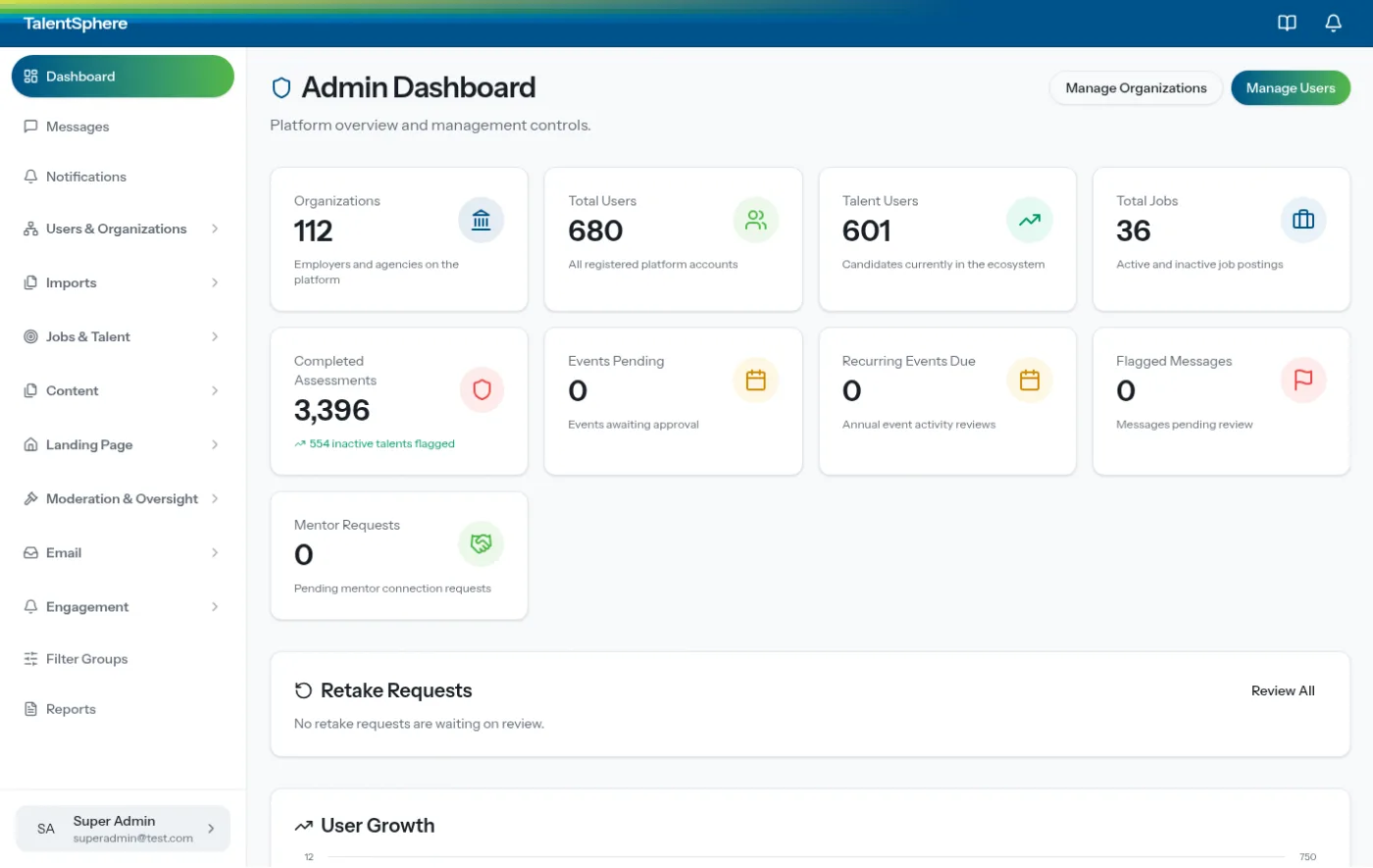
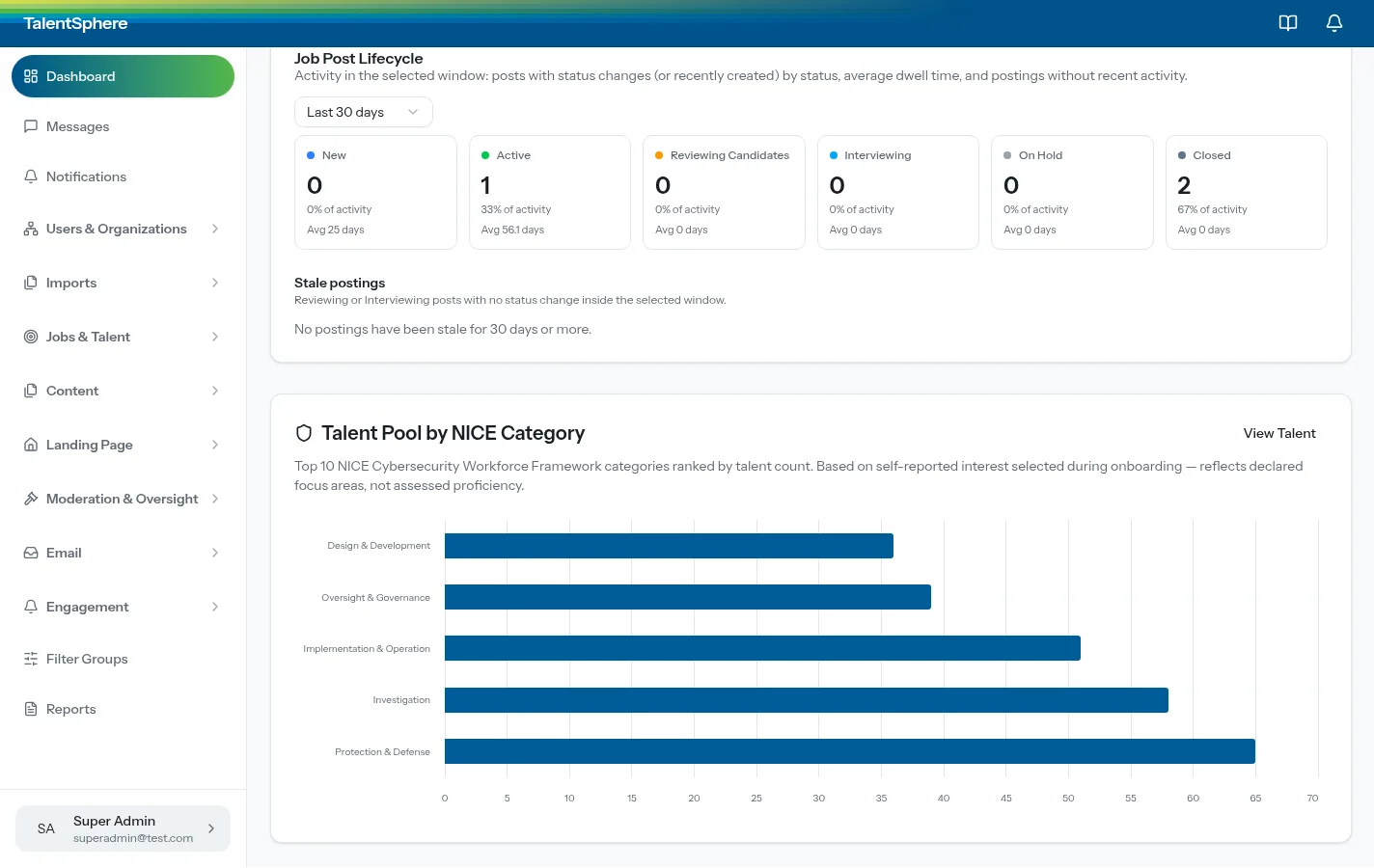
TalentSphere publishes its own figures on that site: 601 talent profiles, 112 employers, 5 NICE categories, and 9 open positions. Featured careers there include a software engineer role at Secure Passage in Kansas City and a SOC analyst role at Foresite Cybersecurity in Overland Park. The admin dashboard above is also TalentSphere's: it shows 112 organizations, labeled on the screen as employers and agencies, along with 680 registered users and 3,396 completed assessments. Those counts belong to TalentSphere and EnterpriseKC.
The engagement is one Active Logic delivered from our Kansas City software development practice. The product is a web application the program can run: profiles, assessments, employers, and careers in one exchange.
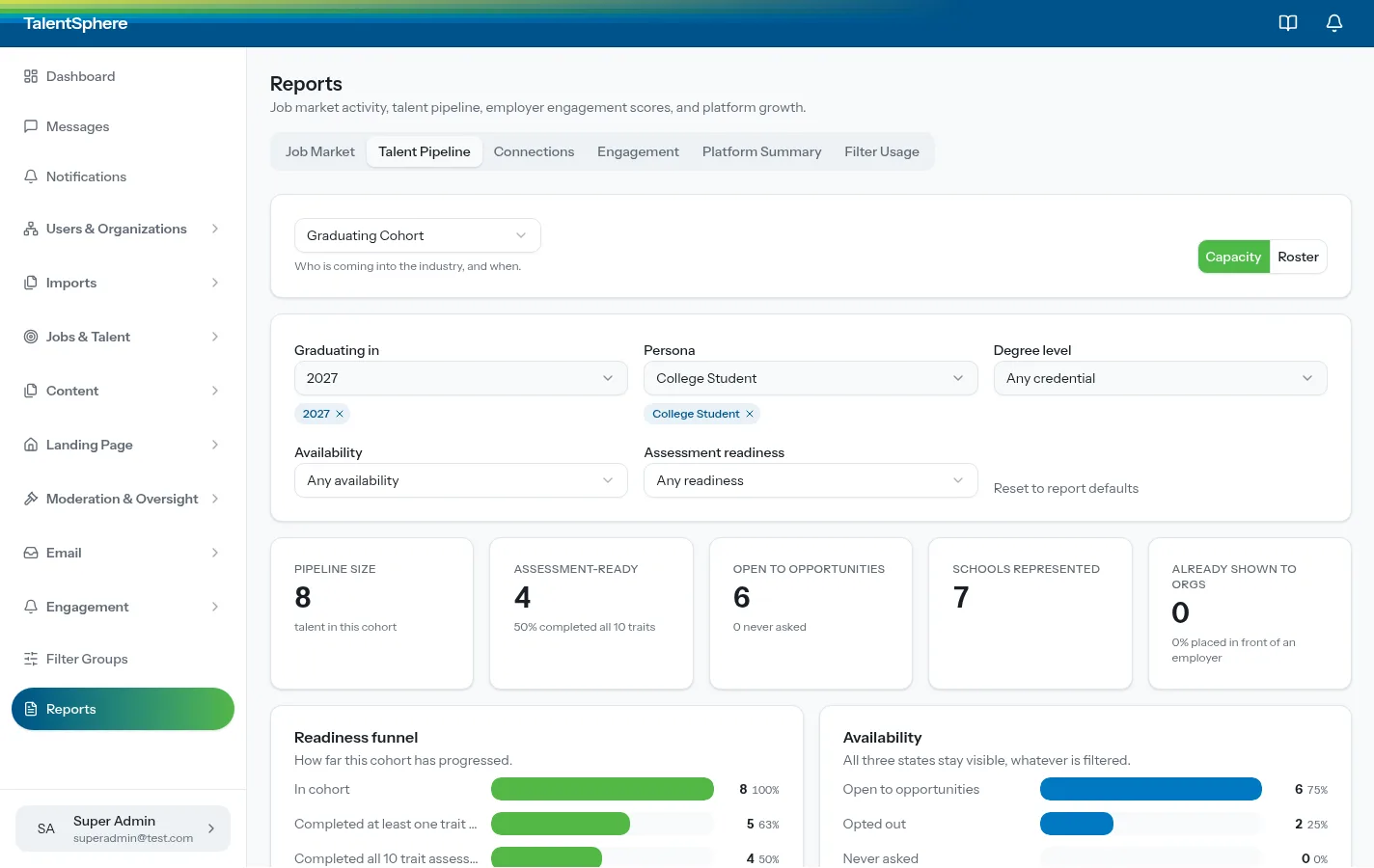
A regional workforce program has to see its own people. Employers need assessed strengths, not only a resume. Candidates need roles tied to a workforce framework. Program staff need a pipeline: who is graduating, who finished an assessment, who is open to a conversation, and which employers have already seen them.
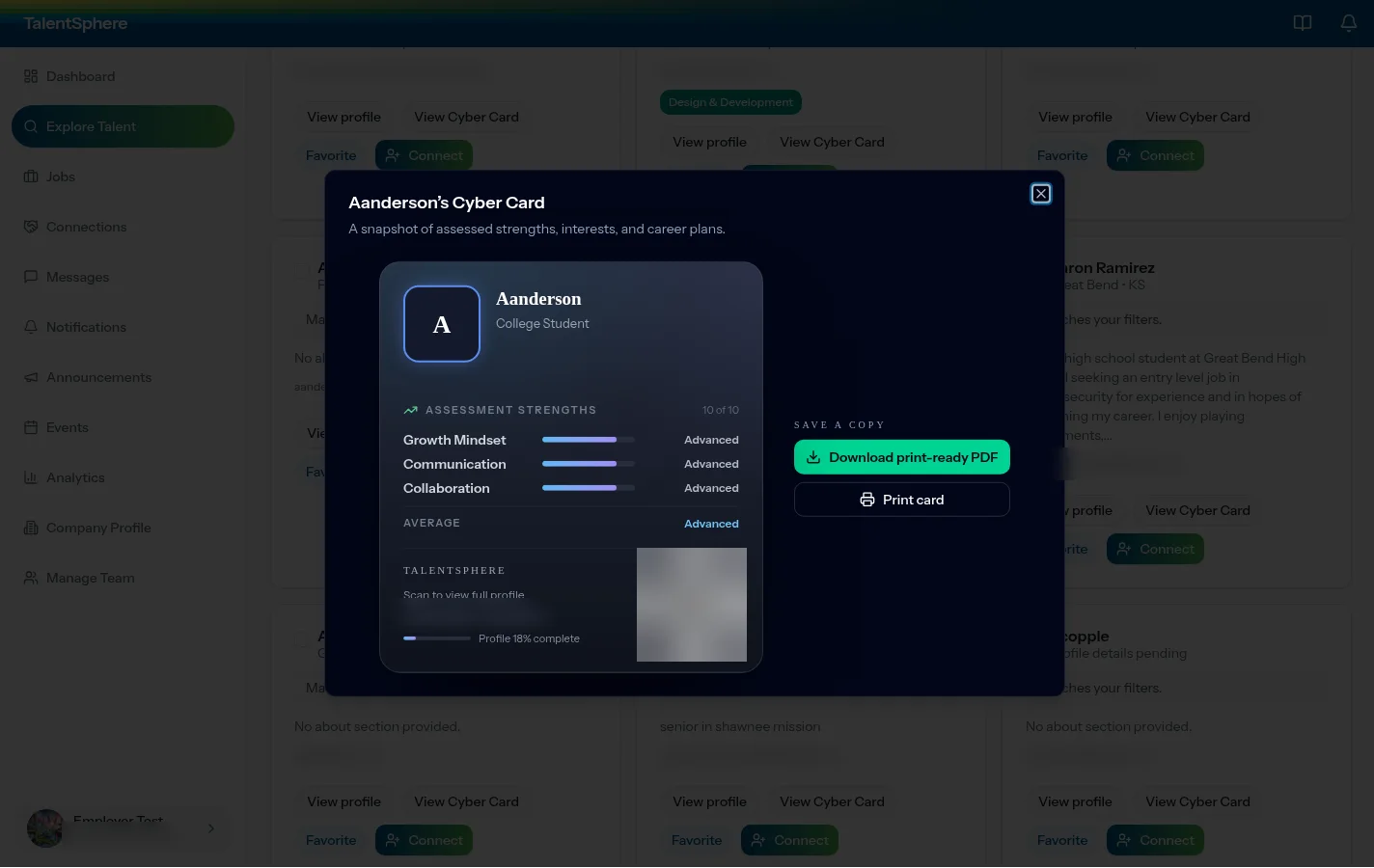
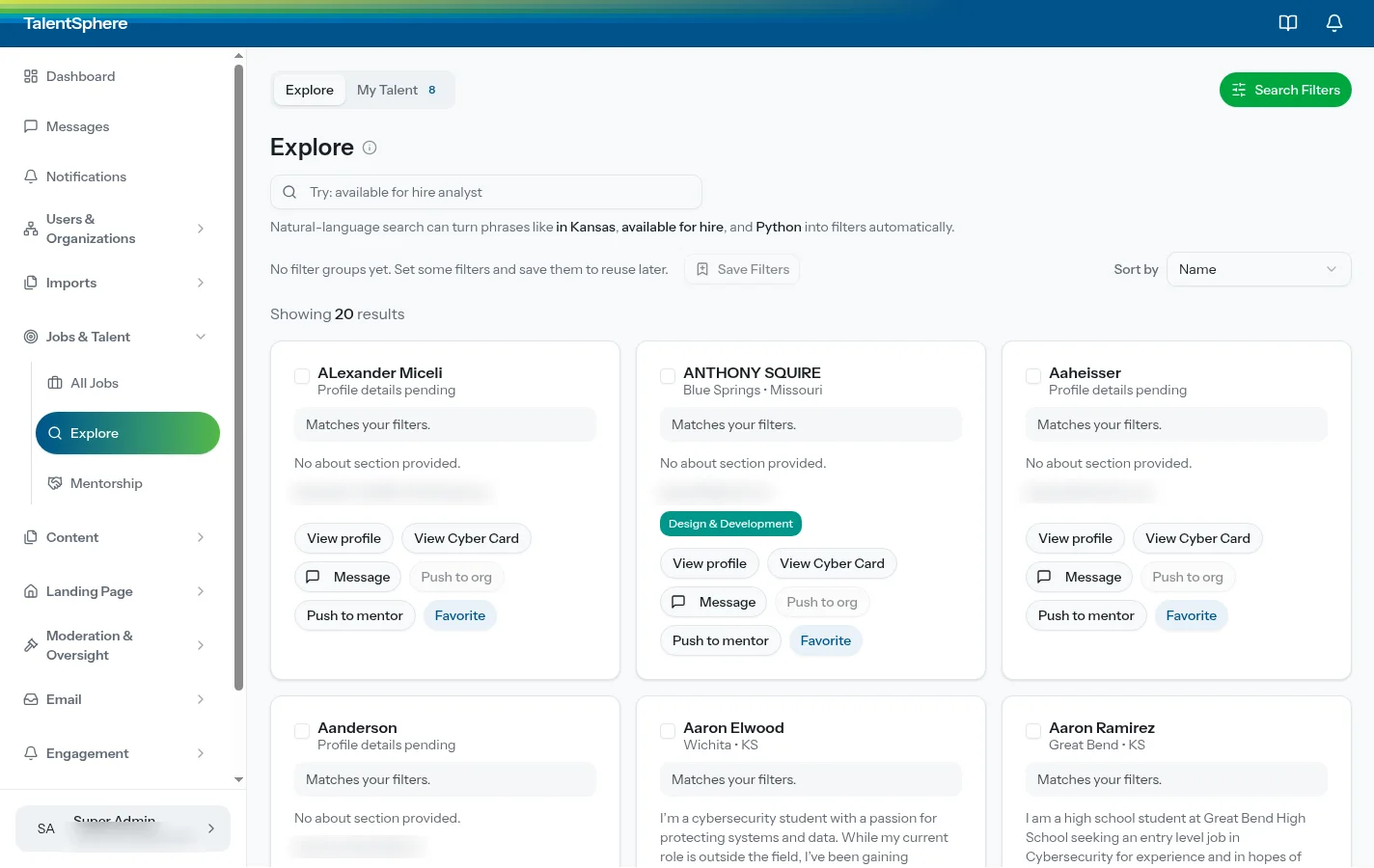
TalentSphere is that operation. Employers search talent and open a Cyber Card. Candidates complete an assessment and see careers aligned to the framework. Program staff watch a cohort move through readiness and availability.
| Job board | TalentSphere |
|---|---|
| A posting and a resume. | A 10-attribute assessment and a Cyber Card with a QR code and a print-ready PDF. |
| Keyword search across a national board. | Natural-language search that turns a phrase into filters on this exchange. |
| Openings, without a cohort the program can filter. | A pipeline report by year, persona, readiness, availability, school, and who has already been shown to an organization. |
| Listings with no shared workforce standard. | Careers aligned to the NICE Cybersecurity Workforce Framework. |
| A resume stands in for assessed skill. | Ten attributes, each marked for whether an employer can find that strength in search. |
The dashboard above is where program staff start the day. The pairs below are how the pipeline, search, the Cyber Card, assessment, and careers actually move. The line under each screen is the job it does for the talent operation.
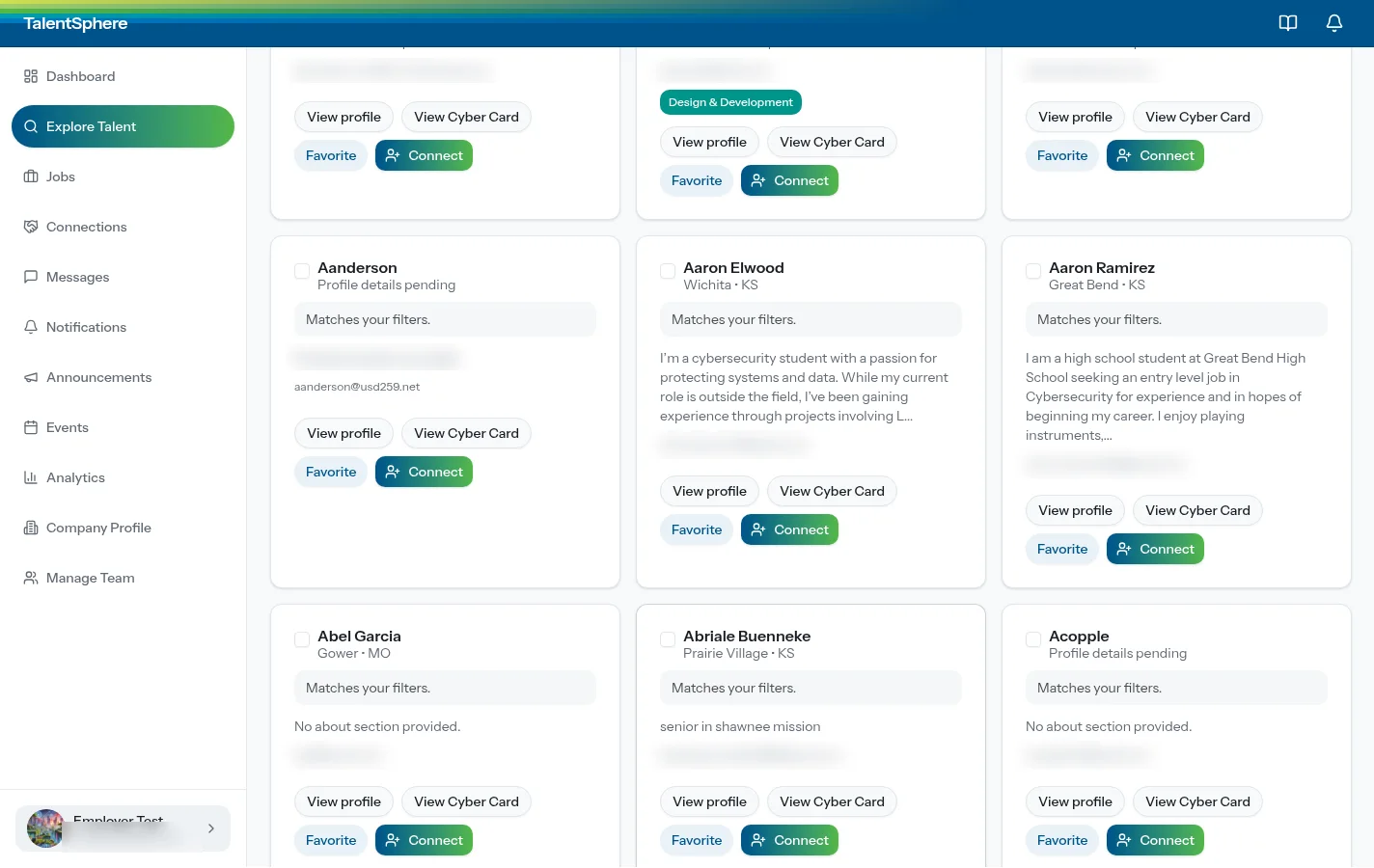
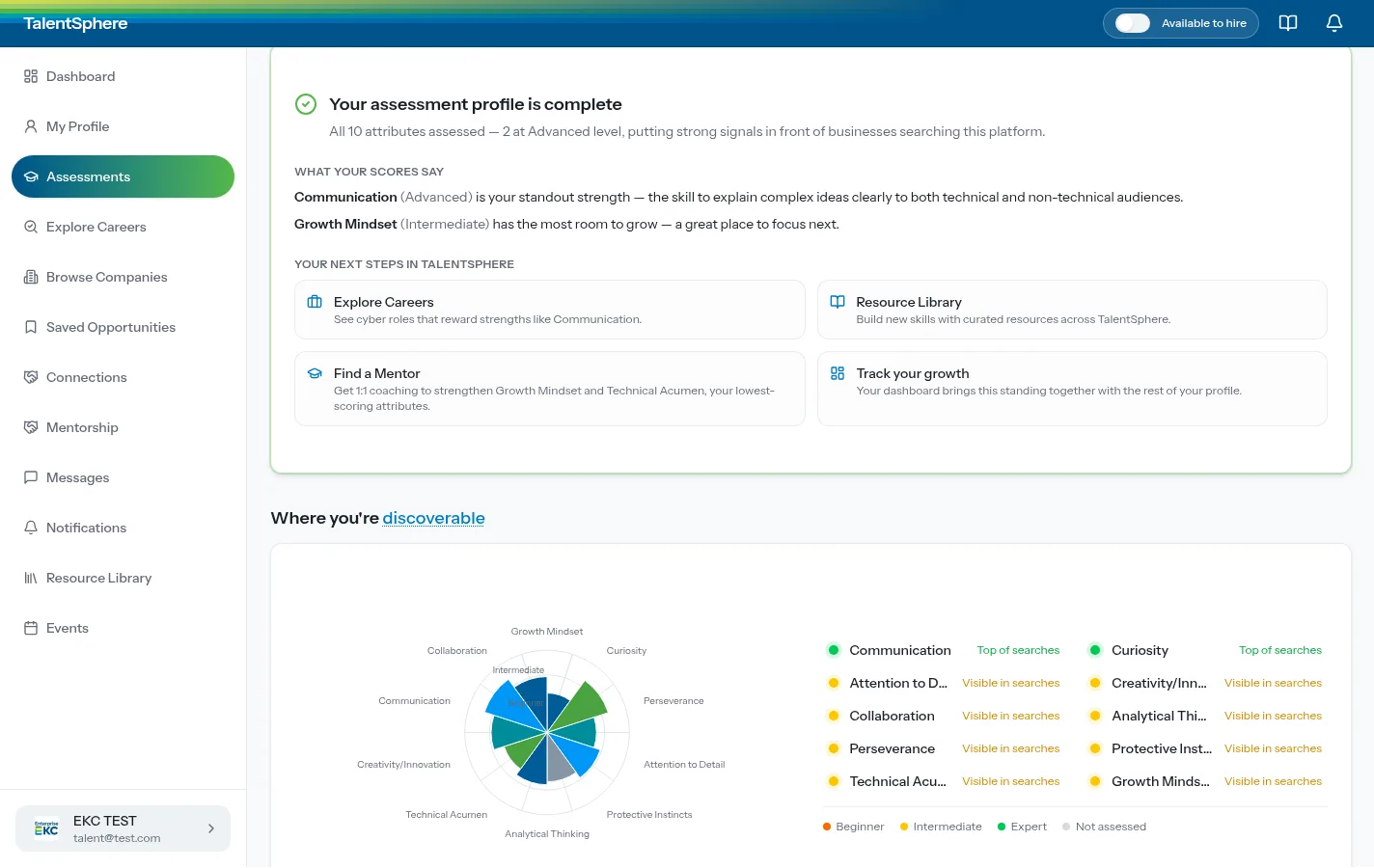
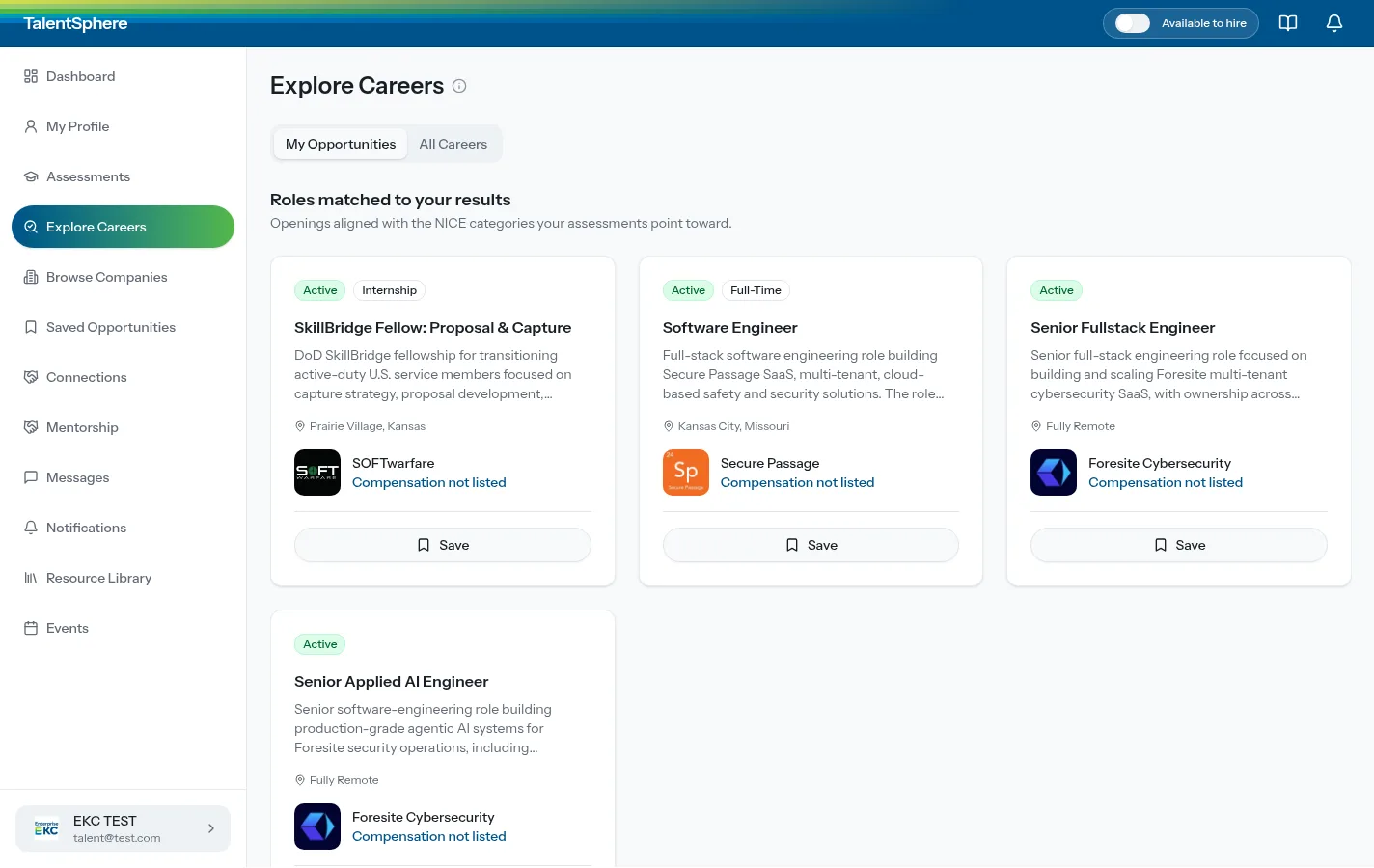
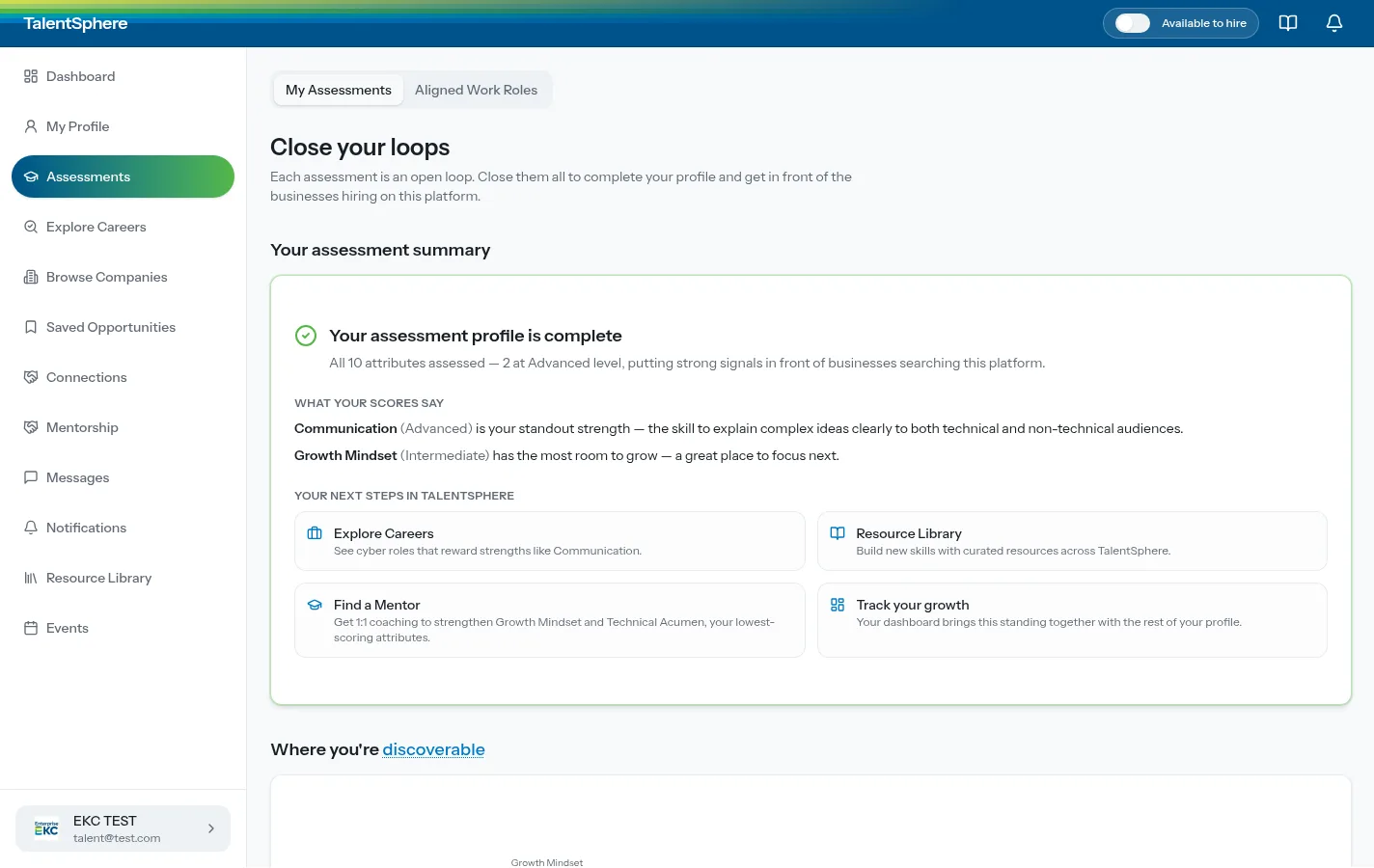
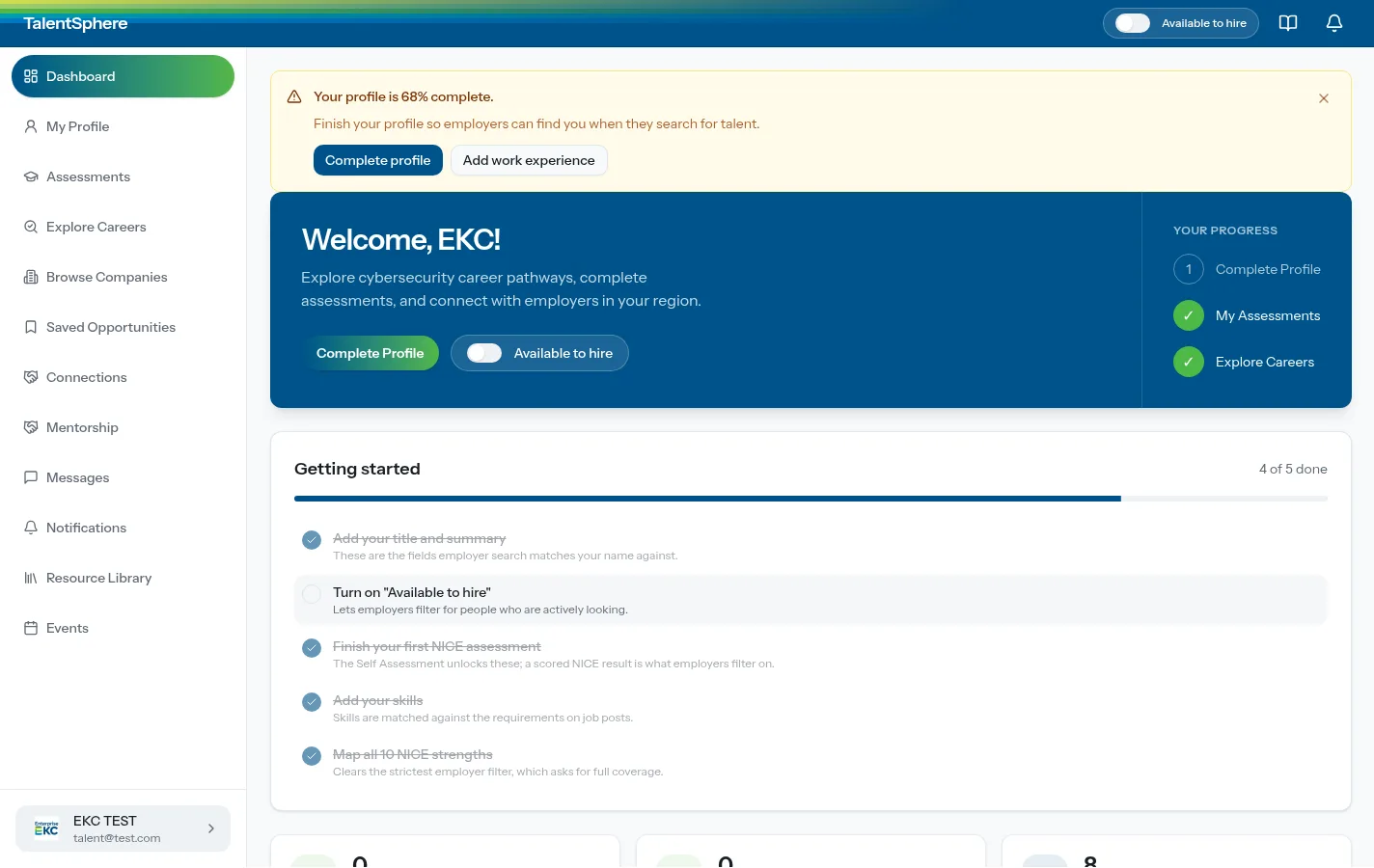
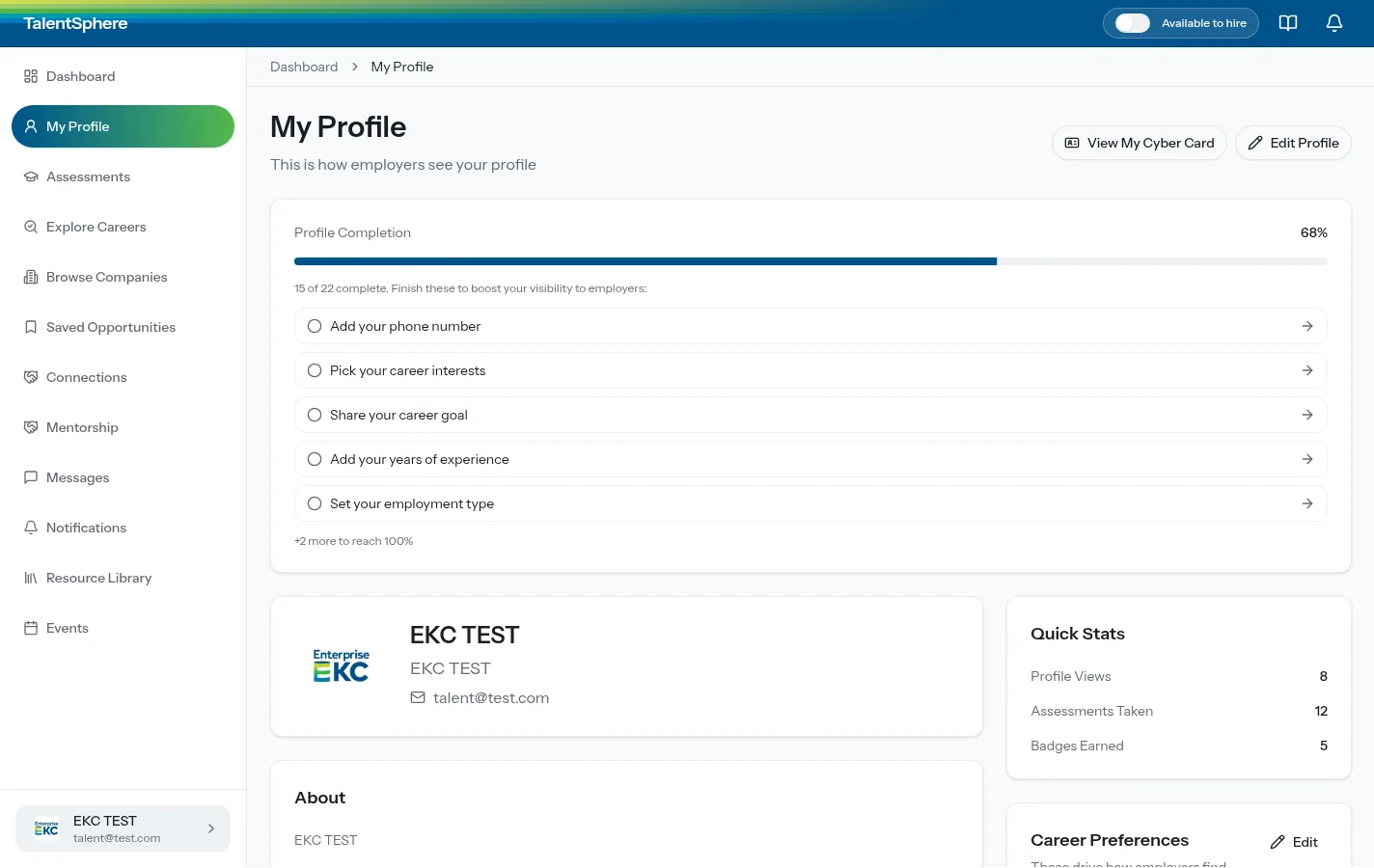
Leaders do not need a system diagram. They need to see that the profile, the assessment, the card, the careers, and the connection are one exchange. A person moves through TalentSphere in five steps.
Profile. The candidate completes the record employers will see, including whether they are available to hire.
Assessment. Ten attributes are scored, and the chart shows which strengths employers can find in search.
Cyber Card. Strengths, interests, and career plans fit on one card, with a QR code and a print-ready PDF.
Match. Explore Careers lines openings up with the NICE categories the assessment points toward.
Connect. An employer favorites or connects. Program staff can also push talent to an organization or a mentor.
This engagement is Team as a Service. A Director of Engineering owns delivery, from architecture through production, and writes and reviews the engineering. The engineers are senior, full-time, and 100% U.S.-based. The platform they built is live as TalentSphere.
“They offer great customer service that extends beyond the scope of a project.”
Eric Mooney Pillar Leader, EnterpriseKC
Talk with a knowledgeable team member about a talent exchange, an assessment workflow, or another system a packaged product cannot carry.

Built by Active Logic, a U.S.-based custom software development company with 200+ projects delivered since 2014.